Guide to Vector Art for Printing: Tips for Clean, Professional Artwork
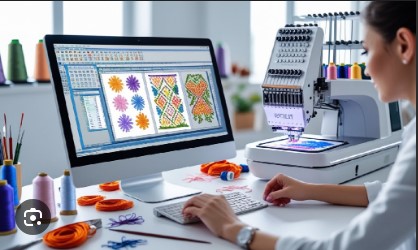
Creating artwork for printing is not the same as making a simple image for a screen. Print designs need clear lines, sharp details, and the right file type. This is where vector art becomes very useful. Many designers, businesses, and print shops use vector files because they help create clean and professional results.
If you want to understand a complete Guide to Vector Art for Printing, you need to know how vector files work and why they are important. From my experience working with print designs, I have seen how the right artwork format can save time and improve final results. A good vector file helps printers create sharp logos, signs, labels, clothing designs, and many other printed products.
What Is Vector Art?
Vector art is a type of digital artwork made with lines, shapes, and points. Unlike regular images, vector designs do not use tiny squares called pixels.
This means you can make a vector design bigger or smaller without losing quality. The artwork stays clear and sharp at any size.
For example, a company logo may need to appear on a small business card and also on a large outdoor banner. A vector file can handle both sizes without becoming blurry.
Common Vector File Formats
There are several file types used for vector artwork:
- AI (Adobe Illustrator file)
- EPS (Encapsulated PostScript file)
- SVG (Scalable Vector Graphics file)
- PDF (Portable Document Format)
These formats are widely used by designers and printing companies.
Why Vector Art Is Important for Printing
Printing requires high-quality artwork. A low-quality image can look blurry or uneven when printed. This can affect the overall look of your product.
Vector art helps because:
- Lines stay smooth
- Colors remain accurate
- Designs can be resized easily
- Details stay clear
- Printing becomes easier
Whether you are printing a logo, product label, poster, or clothing design, vector files give better results.
Difference Between Vector Art and Raster Images
Many people confuse vector art with regular images. Knowing the difference can help you choose the right file.
Vector Images
Vector images are created using mathematical paths. They are flexible and keep their quality at any size.
Examples include:
- Logos
- Icons
- Illustrations
- Brand graphics
Raster Images
Raster images are made from pixels. They are common for photos and detailed pictures.
Examples include:
- Photographs
- Digital paintings
- Web images
When you enlarge a raster image too much, it becomes blurry. Vector art does not have this problem.
Tips for Creating Clean Vector Artwork
Making good vector art requires attention to detail. A few simple steps can improve the quality of your designs.
Start With a Clear Design Plan
Before creating artwork, understand the purpose of the design.
Ask yourself:
- Where will the design be printed?
- What size will it be?
- What colors will be used?
- Who will see it?
A clear plan helps avoid design problems later.
Use Simple Shapes and Clean Lines
Professional vector designs often use simple elements. Too many details can make printing difficult.
Clean shapes are easier for printers to process. They also look better on different materials.
Avoid adding extra lines or unnecessary effects. A simple design often creates a stronger visual impact.
Choose Colors Carefully
Color choice is very important in printing. Screen colors may look different when printed.
Use Print-Friendly Color Settings
Many printing projects use CMYK color mode. CMYK stands for:
- Cyan
- Magenta
- Yellow
- Black
This color system is made for printing.
Using the correct color mode helps your printed design look closer to your original artwork.
Convert Text Into Outlines
Fonts can create problems if the printer does not have the same font installed.
Converting text into outlines changes letters into vector shapes. This keeps your text style safe.
For example, if you design a logo with a special font, outlining the text makes sure it prints correctly.
Keep Your File Organized
A clean file is easier to edit and print.
Good practices include:
- Naming layers clearly
- Removing unused elements
- Keeping colors organized
- Saving the final version properly
This makes your artwork easier for others to use.
Common Mistakes to Avoid in Vector Printing
Even experienced designers can make mistakes. Knowing common problems can help you create better artwork.
Using Low-Quality Images as References
A blurry image may not create good vector results. Always start with the clearest reference possible.
Adding Too Many Effects
Shadows, filters, and complex effects may not print correctly. Simple vector designs usually work best.
Forgetting Bleed and Safe Areas
Print designs often need extra space around the edges. This extra area is called bleed.
Without proper bleed, important parts of your design may get cut off.
Saving the Wrong File Type
Always check what file format your printer needs. Sending the wrong file can delay production.
How Vector Art Improves Different Printing Projects
Vector artwork is useful in many industries.
Logo Printing
Businesses need logos that look good everywhere. Vector files allow logos to be printed on cards, packaging, signs, and clothing.
Apparel Printing
Clothing designs need clean shapes and strong colors. Vector artwork helps create sharp prints on shirts, jackets, and uniforms.
Packaging Design
Product packaging needs professional artwork. Vector files help maintain quality across different package sizes.
Sign and Banner Printing
Large signs need artwork that stays clear from close and far distances. Vector files are perfect for this type of printing.
Tools Used for Creating Vector Art
Many software programs can create vector designs.
Popular tools include:
- Adobe Illustrator
- CorelDRAW
- Inkscape
Each program has different features. Beginners can start with simple tools, while professionals may prefer advanced software.
My Experience With Professional Vector Artwork
In my work with print projects, I have noticed that artwork quality has a direct effect on the final product. A well-made vector file makes the printing process smoother. It reduces errors and helps achieve better results.
I have also seen many projects delayed because of poor artwork preparation. Small issues like wrong colors, missing outlines, or unclear designs can create bigger problems during printing.
That is why proper vector preparation is an important step before sending files to production.
How Expert Help Can Improve Your Results
Creating vector artwork requires skill and patience. Not everyone has the time or experience to prepare professional files.
Many businesses choose expert services to make sure their artwork is ready for printing. Digitizing Buddy helps clients create quality design files that support professional production needs.
Working with experienced designers can help avoid common mistakes and improve the final print quality. A properly prepared file saves time and creates better results.
Final Checklist Before Printing Your Vector Artwork
Before sending your design to the printer, check these points:
Review Your Design
Make sure all details look correct. Check text, shapes, and colors carefully.
Check File Quality
Confirm that your file is saved in the correct vector format.
Confirm Color Settings
Make sure your colors match the printing method you will use.
Remove Extra Elements
Delete unused layers and objects that are not part of the final design.
Final Thoughts
Vector art is one of the best choices for professional printing. It helps create clean, sharp, and flexible designs that work on many products.
Learning how to prepare vector artwork can improve your printing results and prevent common issues. Whether you are designing a logo, clothing print, or business material, a quality vector file makes a big difference.
With the right tools, proper techniques, and support from professionals like Digitizing Buddy, you can create artwork that looks polished and ready for any printing project.

About Premium Author
This post has been authored and published by one of our premium contributors, who are experts in their fields. They bring high-quality, well-researched content that adds significant value to our platform.
Popular Categories
Stay Connected
Recent Posts